Desk audit of published data · 15 November 2026
CleanMyMac Review (2026): Is It Worth $39.95 a Year?
One window for junk, leftovers, duplicates and a malware scan. Here is what the measurements say, and where they fall short.
Summary
CleanMyMac review in short: it is a notarized macOS maintenance app that is strong at removing apps with their leftovers and mapping disk space, and weak as antivirus, with 3 of 10 malware samples caught in independent testing. Direct pricing is $39.95 a year or $119.95 once for one major version. Buyers rate it 4.7 on Trustpilot and Capterra and 4.5 on G2. It is worth paying for only if you want one button instead of several free tools.
CleanMyMac is a polished, notarized macOS maintenance app that does app removal and storage mapping well, and malware detection badly: an independent test caught 3 of 10 samples. At $39.95 a year it is worth it only if you want one button instead of six free tools. Score: 7.2/10.
- Cleanup and storage
- 8/10
- App uninstaller
- 8.5/10
- Malware protection
- 4/10
- Value for money
- 6.5/10
- Ease of use
- 9/10
- Uninstaller and File Leftovers remove what Finder never shows you
- Space Lens turns a 40 GB mystery folder into a 30-second job
- Apple-notarized, code-signed, 7-day trial and 30-day refund
- Detected only 3 of 10 malware samples in Cybernews testing (30%)
- Most of the junk it reports is cache that macOS rebuilds within days
- One-time license covers one major version, not a lifetime of upgrades
7-day free trial · 30-day money-back guarantee
How this review was built
- Version tested
- CleanMyMac 5.7.x (direct build 5.5.7 listed on macpaw.com, Mac App Store 5.7.4 listed 15 Nov 2026)
- Test period
- 2026-11-15 → 2026-11-15
This is a desk audit, not a hands-on lab test. We did not run our own malware samples or memory benchmarks, and we do not claim a month of daily use. What we did on 15 November 2026: captured the live MacPaw home and store pages, read the Mac App Store listing (size, version history, in-app purchases), pulled the current Trustpilot, G2 and Capterra pages, and read three independent tests with their methods: Cybernews (MacBook Air M2, macOS 15.5, 10 planted samples), AllAboutCookies (three EICAR tests) and Nektony (CleanMyMac 5.6.1, M1, macOS Tahoe). Every number in the testing section names its source. Nektony sells competing apps, so we treat its pricing arithmetic as checkable and its opinions as one view.
Should you buy this?
YES if you...
- You want cleanup, uninstall, duplicates and a disk map behind one button
- You would rather click than open Terminal or visit six Library folders
- You buy direct from macpaw.com or via Setapp, not the Mac App Store
- You qualify for the 40% competitor discount
NO if you...
- You need real antivirus: there is no real-time scanning and no lab certification
- You only want app leftovers gone: AppCleaner is free
- You are comfortable with Storage settings, Login Items and a few Terminal commands
- You expect a one-time licence to cover every future major version
What it costs, by channel
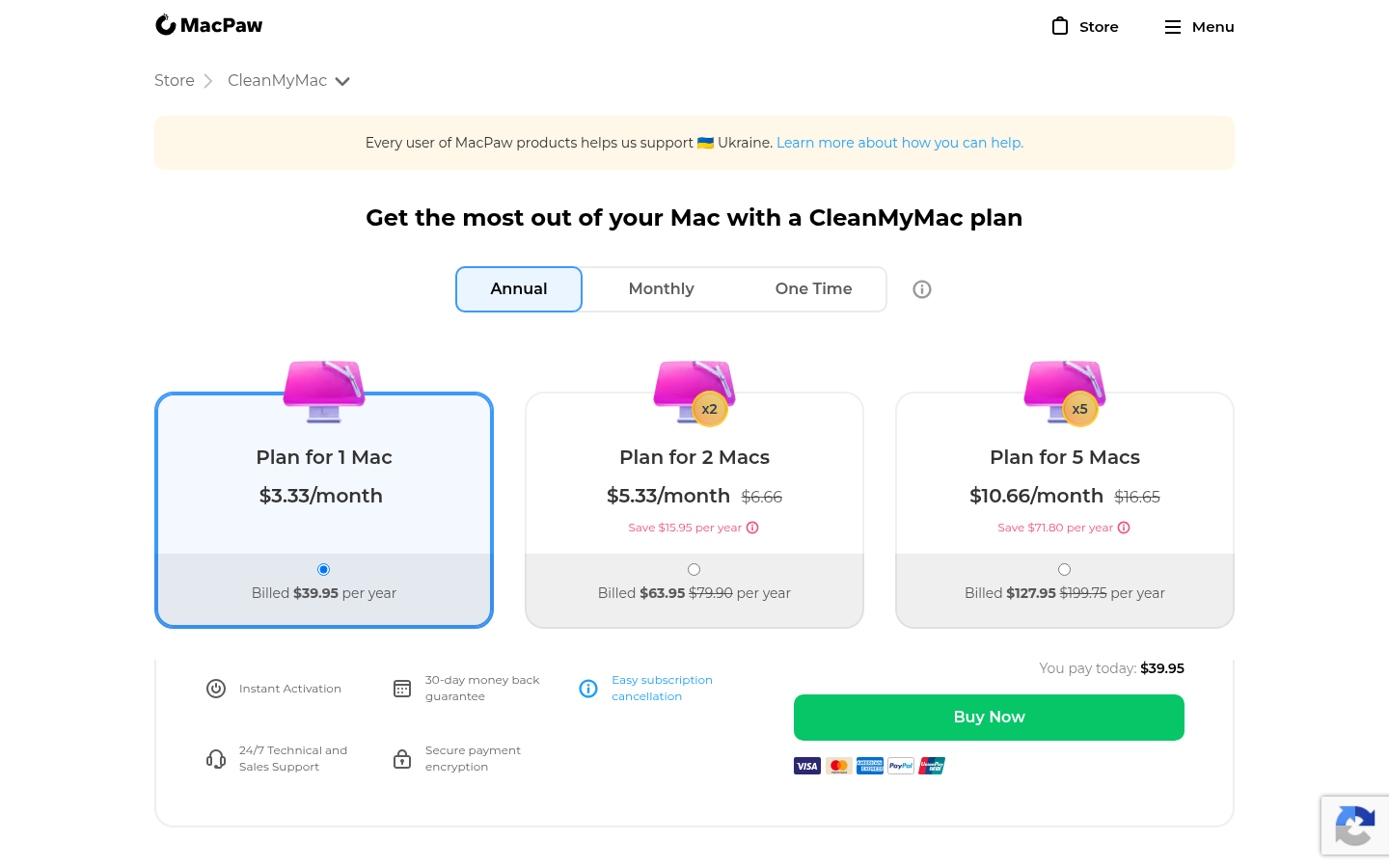
Direct prices from the MacPaw store, captured 15 November 2026. The Mac App Store sells a different, sandboxed build.
1 Mac, annual
$3.33 a month, billed yearly
- Full feature set
- Upgrades to future major versions
- 30-day money-back guarantee
2 Macs, annual
$5.33 a month, billed yearly
- Full feature set
- Two licences
- 30-day money-back guarantee
5 Macs, annual
$10.66 a month, billed yearly
- Full feature set
- Five licences
- 30-day money-back guarantee
1 Mac, one-time
Current major version only
- Updates and fixes for version 5
- No upgrade to version 6
- 14-day guarantee applies to monthly plans only
ROI breakdown: At $119.95 against $39.95 a year, the one-time licence breaks even at exactly three years. That is roughly how long the previous major version lasted before a new macOS dropped it.
Hidden costs & gotchas
- One-time licence: a new major version is a paid upgrade, per MacPaw's own purchase-options page
- Monthly billing is $9.95 a month, which is $119.40 over a year
- The Mac App Store edition ($39.99 a year Basic, $65.99 Plus) drops 22 features, including system cache and log cleaning
- Discounts apply to the first year of a subscription only
What was measured, and by whom
No figure here comes from our own lab. Each note names the test, the hardware and the date.
- Malware detection rate
- 30 % (3 of 10 samples) Cybernews, MacBook Air M2 in a VM, macOS 15.5; the 3 caught were Mach-O files, 7 zero-day samples missed
- EICAR test files detected
- 0 of 3 AllAboutCookies hands-on test; no real-time or post-scan detection
- Junk found by Smart Care, first scan
- 11.3 GB Nektony, v5.6.1, M1 Mac, macOS Tahoe, Sept 2026; most of it cache
- Installed size of CleanMyMac.app
- 436 MB Shown by the app's own uninstaller in the Nektony test; the Mac App Store download is 166.1 MB
- Features missing from the Mac App Store build
- 22 Sandbox rules block system cache, system logs, language files, periodic scripts and more
- One-time vs annual break-even
- 3.0 years $119.95 divided by $39.95, MacPaw store prices, 15 Nov 2026
Open the MacPaw store page and read what a 1 Mac annual plan costs.
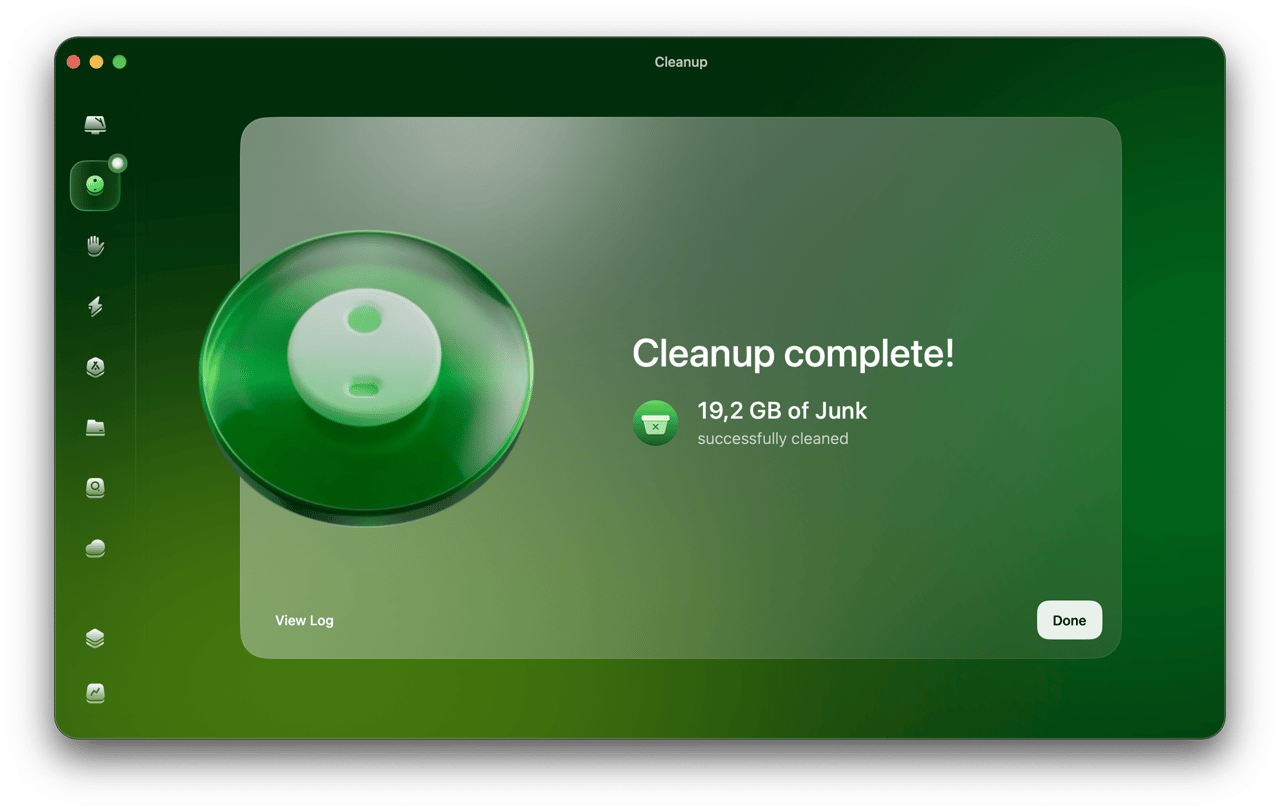
Run a Cleanup and read the result screen.
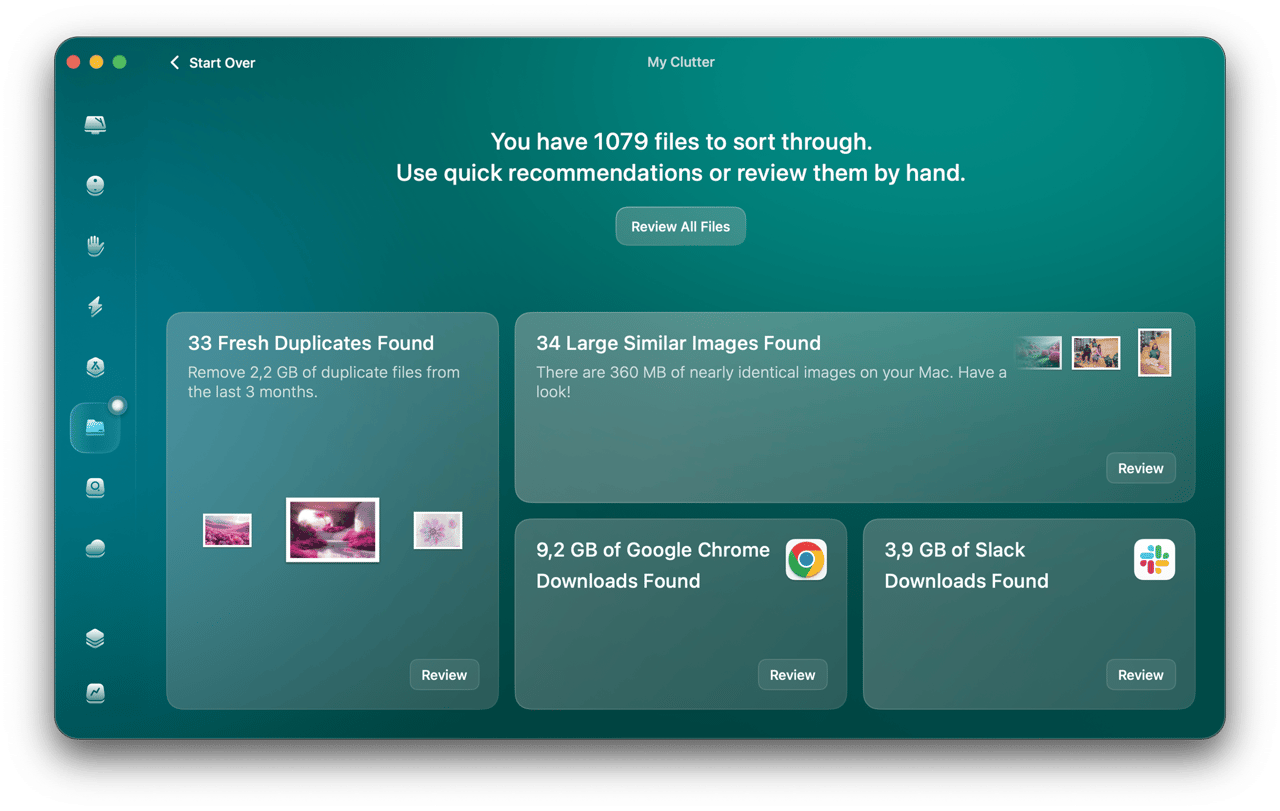
Open My Clutter to find duplicates and similar images.
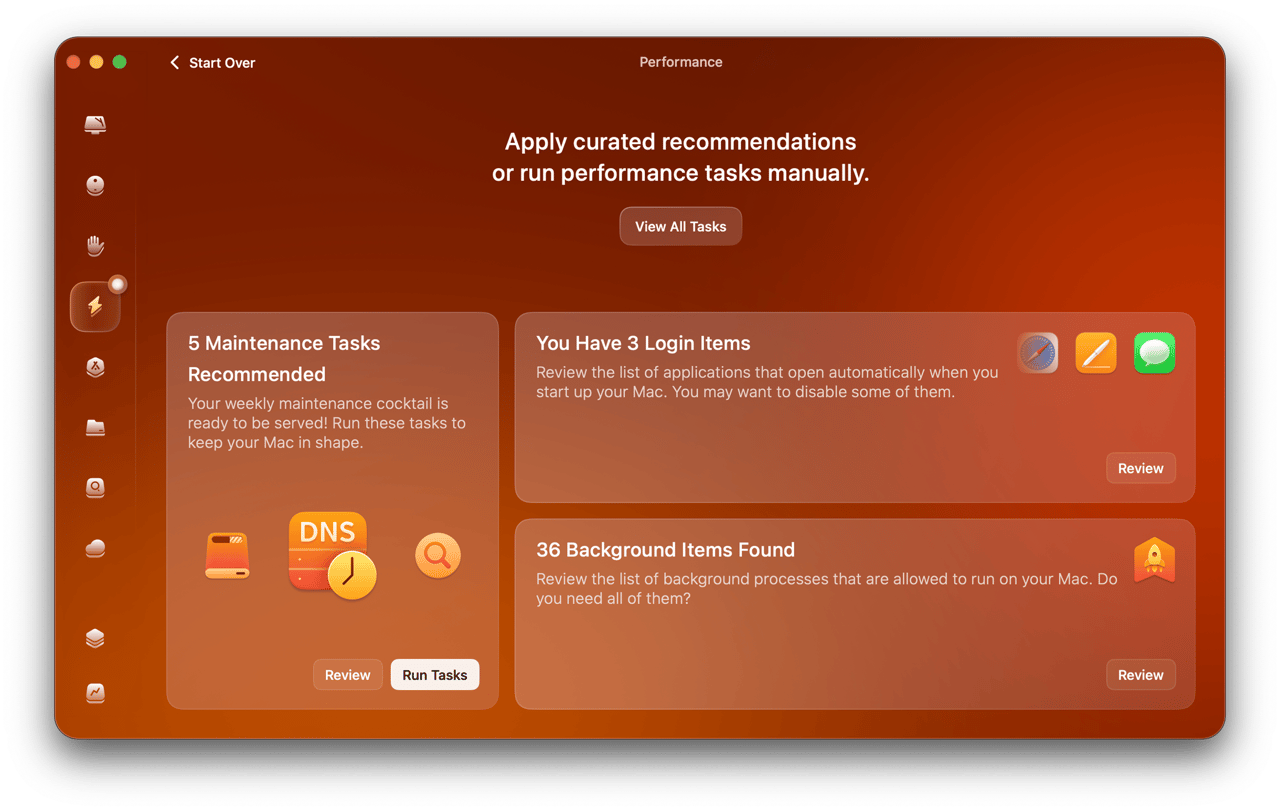
Open Performance to see maintenance tasks and login items.
Pros & cons
Pros
- App Uninstaller and File Leftovers do work Finder does not It removes an app with its support files, launch agents, caches and preferences, and finds leftovers from apps deleted years ago. Nektony calls it the strongest module.
- Space Lens makes disk hunting fast A treemap of the volume, with a disk selector so external drives are covered. Reviewers on Trustpilot and Capterra name storage mapping and ease of use most often.
- Notarized, signed and refundable Developer ID MacPaw Way Ltd, notarized by Apple, 7-day trial, 30-day refund on annual and one-time purchases.
- Actively maintained Version history shows releases every few weeks in 2026, including Cloud Cleanup, My Tools and a background Applications scan.
Cons
- Weak malware detection and no lab certification 3 of 10 samples at Cybernews, 0 of 3 EICAR files at AllAboutCookies, no AV-TEST or AV-Comparatives scores, no real-time protection. Moonlock powers it, but treat it as a bonus scan.
- Reported junk is mostly cache macOS rebuilds Caches are working files. Part of the 11.3 GB returns within days. The durable wins are installers, leftovers, duplicates and large forgotten files.
- No top-level undo for a cleanup Deleted items go to the Trash, so same-day mistakes are fixable. System tasks and the Shredder do not reverse. One Trustpilot reviewer blames a clean-up for a broken Logic Pro project; MacPaw has asked for details.
- Support and billing friction shows up in reviews Trustpilot one-star reviews cite a double charge, a login lockout after renewing for two Macs and slow replies. MacPaw says support volume is higher than usual.
- The one-time licence is not a lifetime of upgrades It covers the current major version only. Buyers who read it as lifetime access are the loudest critics on Reddit and Trustpilot.
Final verdict
CleanMyMac is legitimate software and a good one at three jobs: removing apps completely, showing what fills your disk, and giving you a single review screen for duplicates and downloads. It is a poor choice as antivirus, and the headline gigabytes it reports flatter the result because cache comes back.
If you have a specific problem, such as a 256 GB SSD at 95% or a folder of abandoned apps, the trial will answer it in ten minutes. Run Smart Care, read the list line by line, and uncheck anything under Large and Old Files you did not choose to delete. If the problem is only leftovers, install AppCleaner and stop.
Buy direct, annual, and ask for the 40% switcher discount if you use another cleaner. Skip the Mac App Store build if system cleanup is the reason you are here, because it lacks 22 features. Skip the one-time licence unless you are happy to pay again at the next major version.
If you have a Mac that is already healthy, you are paying $39.95 a year for convenience. That can be a fair price. Just know it is convenience, not protection.
- Cleanup and storage 8/10 Good map, but cache returns
- App uninstaller 8.5/10 Best module
- Malware protection 4/10 3 of 10 samples
- Value for money 6.5/10 4.4/5 on Capterra
- Ease of use 9/10 4.8/5 on Capterra
- Support 6/10 4.5/5 on Capterra, mixed on Trustpilot
Common questions
Is CleanMyMac safe to install?
Is CleanMyMac worth $39.95 a year?
Can CleanMyMac replace an antivirus?
Will it make my Mac faster?
Is the one-time purchase really lifetime?
Is the Mac App Store version the same app?
Is CleanMyMac the same as CleanMyMac X?
Does CleanMyMac collect data?
Update log
- Initial publication: desk audit of MacPaw pages, Trustpilot, G2, Capterra and three independent tests.
Changelog · 1
- status_scheduled Status: draft → scheduled